

Key Takeaways
- AWS DMS (AWS Database Migration Service) handles database migration from on-premises or legacy systems to the AWS Cloud with minimal disruption to live operations.
- Unlike a full application lift-and-shift, AWS DMS works at the data layer only, meaning your source database stays live while the migration runs.
- AWS DMS supports both homogeneous migrations (Oracle to Oracle) and heterogeneous migrations (SQL Server to Amazon Aurora), removing a major technical barrier for Malaysian businesses modernising legacy stacks.
- Cloud migration projects that use AWS DMS typically run faster and with fewer incident windows than manual export-import approaches.
- For AWS Malaysia deployments specifically, DMS integrates with the local AWS Region to keep data residency within the country during and after migration.
Introduction
To most Malaysian IT departments a database migration is just like an office move; you schedule a date, you shut down and stop all work, you move the databases and then you pray nothing breaks in transit. That mentality of moving databases just like moving furniture is precisely why most database migrations go over both budget and timeline.
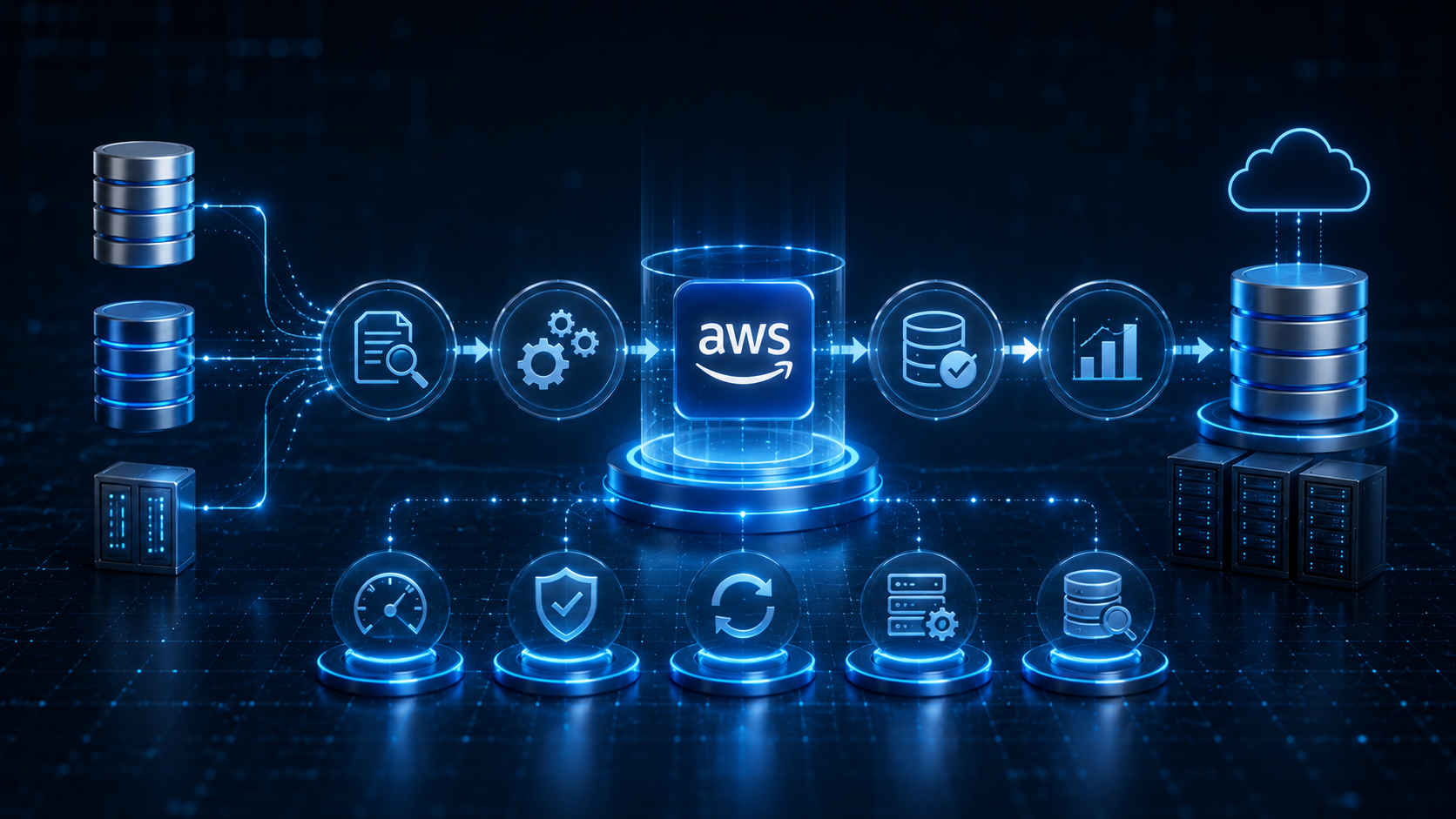
AWS DMS on the other hand, does not require your business to stop; it extracts data from your source database and incrementally transfers it over to your target while keeping both source and target databases synchronised until the point you switch over.
With global spending on public cloud predicted to exceed USD $1 trillion by 2026 according to IDC (reported by Communications Today), and a 37% YoY growth in Platform-as-a-Service (PaaS) alone predicted as enterprises accelerate AI uptake, cloud-native applications, and database modernisation programs, now is the ideal time to learn about how AWS DMS works.
Banking, software and information services, and retail comprise a large chunk of global public cloud spending with these sectors alone making up 25%, according to IDC.
The tool is not actually new; AWS DMS has been around since 2016, supporting migration between more than a dozen different database engines. In this blog, we will discuss what AWS DMS actually does under the hood, where it can fit into the broader strategy for a database migration and what Malaysian businesses need to know before they make use of it.
What is AWS DMS?
AWS DMS, or Amazon Web Services Database Migration Service, is a managed cloud-based service designed to help migrate a source database to a target database, with the source database being available during the whole migration process.
Instead of requiring an application/system to be shut down during a migration, AWS DMS enables users and applications to continue operating while data is migrated in the background.
AWS DMS supports two main types of database migration:
- Homogeneous migrations between identical database engines
- Example: Oracle to Oracle
- Example: MySQL to MySQL
- Heterogeneous migrations between different database engines
- Example: Microsoft SQL Server to Amazon Aurora
- Example: Oracle to PostgreSQL
This flexibility removes one of the biggest technical barriers businesses face during cloud migration and database migration projects.
AWS DMS also handles several operational tasks automatically, including:
- Replication instance provisioning
- Migration monitoring
- Continuous data replication
- Data validation checks
In most cases, these functions work without requiring major modifications to the source database itself, which reduces operational disruption during migration.
One of the most crucial functions of AWS DMS is the ability to keep the source database alive during the entire migration process, by constantly replicating changes from source to target. This means usually, companies do not need a full maintenance window until the cutover is done.
This can be scheduled during an off-peak time with significantly lower risks compared to legacy methods.
How AWS DMS Handles the Migration Process?
AWS DMS breaks database migration into three distinct stages. Understanding how all three stages work together is often what separates a smooth migration cutover from one that creates operational disruption and unexpected downtime.
- Full Load Stage
The first stage is known as the full load. Depending on the size of the dataset, this stage may take anywhere from several hours to multiple days.
During this phase, AWS DMS:
- Reads all existing data from the source database
- Transfers that data into the target database
- Builds the initial copy of the database structure and contents
One of the most important points is that the source database remains live throughout the process. Applications, users, and internal systems continue operating normally while AWS DMS copies the data in the background.
- Change Data Capture (CDC) Stage
Once the full load finishes, AWS DMS moves into the Change Data Capture (CDC) stage. At this point, AWS DMS begins reading transaction logs from the source database and continuously replicating ongoing activity to the target database.
This includes:
- New inserts
- Record updates
- Data deletions
Every new change happening in the source database is replicated to the target in near real time. This keeps both environments synchronised while the business continues operating normally.
For many cloud migration projects, CDC is the stage that dramatically reduces operational risk because it removes the need for long maintenance windows during database migration.
- Cutover Stage
The final stage is the cutover.
Before cutover happens:
- The target database is validated for accuracy
- Replication lag between source and target is checked
- Synchronisation gaps are reduced, often down to only a few seconds
Once the migration team confirms the target database is ready, the application connection string is switched from the source database to the target environment.
At this point:
- Business operations begin running on the new database
- The original source database can be decommissioned later based on the organisation’s own schedule
This approach gives businesses far more control compared to traditional migration methods where systems are shut down mid-migration and restored only after the transfer is completed.
What AWS DMS Does Not Do?
AWS DMS is designed for data movement, not complete application migration. While it handles the transfer and replication of database records very well, there are several components that do not migrate automatically.
AWS DMS does not move:
- Application code
- Stored procedures
- Database triggers
- Functions
- Database schemas by itself
For heterogeneous database migration projects, where the source and target database engines are different, schema conversion becomes a separate process altogether.
For example:
- Oracle to Amazon Aurora
- SQL Server to PostgreSQL
They require schema and code conversion before the migration can be completed properly. This is handled through the AWS Schema Conversion Tool (AWS SCT), not AWS DMS itself.
Many migration teams mistakenly assume AWS DMS will manage the entire migration automatically. When schema conversion is skipped during planning, businesses often encounter:
- Conversion failures
- Compatibility errors
- Broken stored procedures
- Migration delays during cutover
Most of these problems could have been identified earlier during the preparation phase. AWS DMS also does not make architectural or optimisation decisions on behalf of the business.
The service simply replicates the existing database structure from source to target. That means if the source database already contains:
- Redundant indexes
- Deprecated tables
- Poorly normalised schemas
- Legacy structures no longer in use
Those same issues will be carried directly into the new environment. This is why successful database migration projects usually include a separate schema review and optimisation phase before AWS DMS is configured.
Cleaning up the database structure early often reduces migration issues later and improves long-term performance after cloud migration is complete.
Understanding the division of responsibilities is important for realistic migration planning:
- AWS DMS handles data movement and replication
- AWS SCT handles schema and code conversion
- A separate review phase handles schema quality and optimisation
Teams that separate these responsibilities clearly are usually able to set more accurate migration timelines, reduce unexpected issues, and avoid unnecessary disruptions during cutover.
Where AWS DMS Fits in a Cloud Migration Strategy?
Database migration is rarely a standalone project. Most cloud migration programmes in Malaysia involve multiple moving parts, including:
- Application workloads
- Infrastructure systems
- Database layers
- Storage environments
Each of these components has different dependencies and migration timelines.
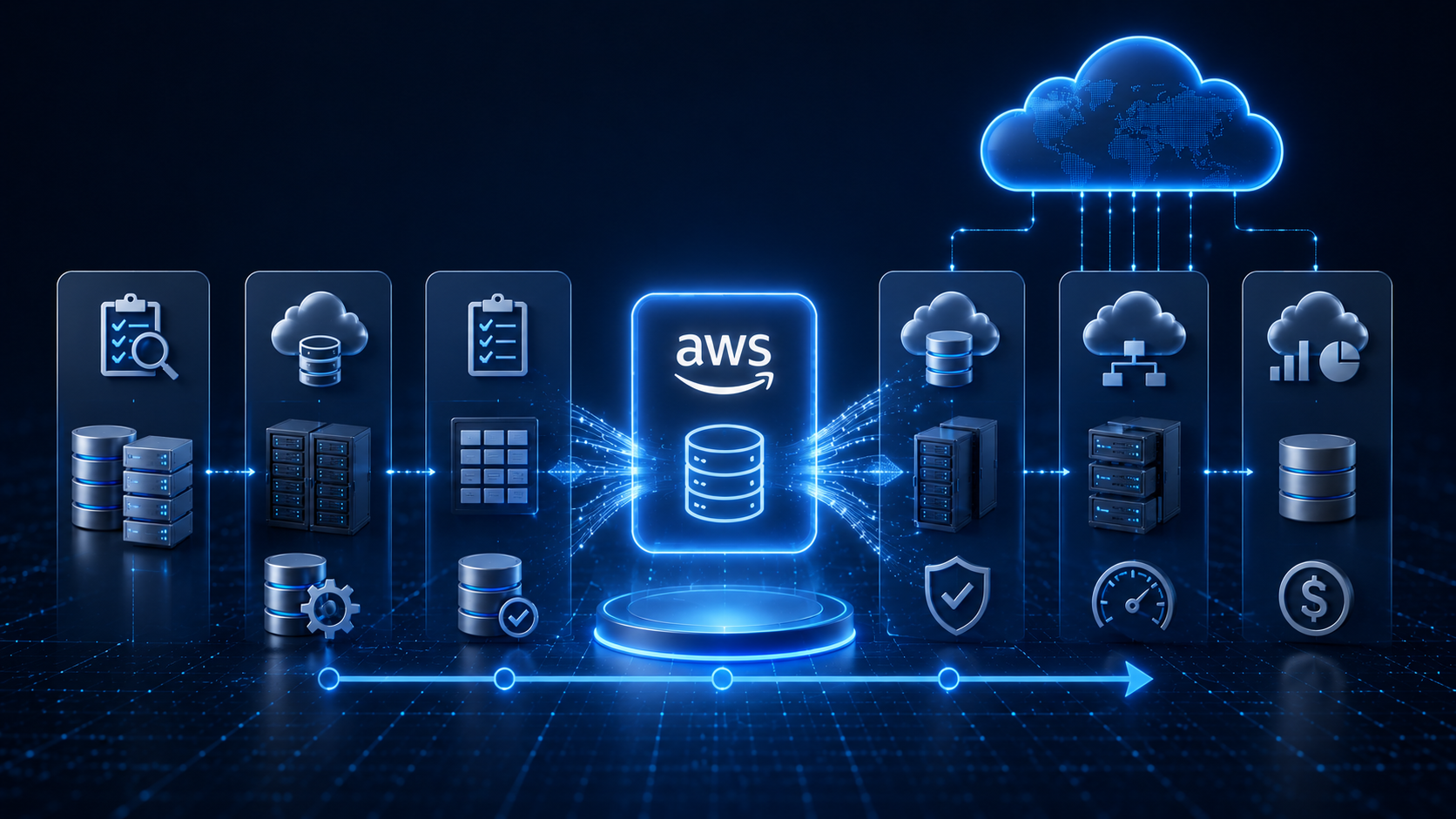
AWS DMS operates specifically at the data layer. It works alongside services like AWS Application Migration Service, which handles server and application migration separately.
For businesses using a rehost strategy, existing workloads are moved to AWS without major application redesign. In these cases, AWS DMS manages the database migration portion while the rest of the infrastructure moves according to its own schedule.
This modular approach gives businesses several advantages:
- The database migration can be tested independently
- Risks can be isolated earlier
- Validation can happen before applications go live
- Migration issues become easier to troubleshoot
For businesses using a re-platform strategy, the migration becomes more complex because the database engine itself changes.
Common examples include:
- Oracle to Amazon Aurora
- SQL Server to PostgreSQL
In these projects:
- AWS DMS handles the data movement
- AWS SCT (Schema Conversion Tool) handles schema and code conversion
The combination of both tools makes heterogeneous database migration possible without requiring a complete rebuild of the application environment.
AWS DMS is also not limited to one-time migrations. Many organisations use it for continuous replication between on-premises systems and AWS-hosted databases as part of a phased migration approach.
This allows businesses to:
- Run old and new environments in parallel
- Test the AWS environment under real production conditions
- Validate data accuracy over time
- Delay final cutover until operational confidence is high
Instead of rushing migration around a fixed project deadline, teams can move at a pace that reduces operational risk while maintaining business continuity.
Why AWS DMS Matters for AWS Malaysia Deployments?
Malaysia launched its own AWS Region in 2024, giving businesses the option to keep their data within national borders throughout the entire cloud migration process. This is especially important for industries with strict data residency obligations, including:
- Banking
- Healthcare
- Government-linked organisations
Many of these sectors operate under Bank Negara Malaysia guidelines or other sector-specific regulatory frameworks that place restrictions on where data can be stored and processed.
When database migration is performed through AWS DMS using the AWS Asia Pacific (Malaysia) Region as the target endpoint, data moves directly from the on-premises environment into Malaysian-hosted AWS infrastructure.
Unless configured otherwise, the migration process does not route data through foreign AWS Regions during transit. This is an important compliance consideration that many generic cloud migration guides fail to address properly.
VSTECS KU, Malaysia’s first AWS distributor, deploys AWS DMS as part of larger cloud migration projects for enterprise businesses across the country. The availability of a local AWS Region, together with VSTECS KU’s certified engineering capabilities, gives organisations both:
- Localised AWS infrastructure support
- Technical expertise for migration planning and execution
This becomes especially important for businesses managing regulated workloads or sensitive operational data.
For Malaysian businesses subject to data residency requirements, configuring AWS DMS with a target endpoint inside the AWS Asia Pacific (Malaysia) Region helps keep data within Malaysian borders throughout the migration process. This supports compliance with Bank Negara Malaysia requirements and other sector-specific data governance frameworks.
Common AWS DMS Mistakes That Slow Down Migrations
Most AWS DMS migration problems do not come from the service itself. They usually come from poor preparation of the source database or incorrect migration configuration.
One of the most common issues is starting AWS DMS without enabling the correct transaction logging settings on the source database. AWS DMS depends on these logs during the Change Data Capture (CDC) stage to replicate ongoing database changes.
For example:
- On MySQL, binary logging must be enabled with binlog_format set to ROW
- On Oracle, supplemental logging must be activated at both database and table level
If these settings are skipped during the pre-migration checklist, the full load may complete successfully, but the CDC stage cannot begin properly. This leaves the migration stalled before cutover.
Another frequent problem is undersizing the DMS replication instance.
The replication instance acts as the compute layer that processes data movement between the source and target databases. During planning, teams sometimes select the smallest instance class to reduce short-term costs. The issue appears later when transaction volumes increase during peak operational hours.
An undersized replication instance can lead to:
- Replication slowdowns
- Growing CDC lag
- Delays between source and target databases
- Longer cutover windows
Instead of the replication gap shrinking before migration completion, it begins widening under production load. A third issue is skipping data validation after the full load stage.
AWS DMS includes a built-in validation feature that compares:
- Row counts
- Checksums
- Source and target database consistency
Running validation before CDC begins helps detect:
- Truncated records
- Encoding mismatches
- Missing rows
- Data inconsistencies
Catching these problems early is far safer than discovering them after the production cutover has already happened.
Is AWS DMS the Right Tool for Your Database Migration?
AWS DMS is ideal for almost all cases where there is a requirement for the source database to remain up while transferring. It is good for homogenous transfers where the engines are the same, and for heterogenous transfers in conjunction with AWS SCT.
Furthermore, AWS DMS is also useful for data transfer between databases even after completion of initial migration. There are instances where AWS DMS is not useful in migrating because of huge amounts of unstructured data, binary objects, and database features that do not exist on the destination engine.
FAQs
1. What databases does AWS DMS support?
AWS DMS supports a wide range of source and target databases, including Oracle, Microsoft SQL Server, MySQL, PostgreSQL, MariaDB, MongoDB, Amazon Aurora, Amazon Redshift, and SAP ASE. The full compatibility matrix is published on the official AWS DMS product page and is updated regularly as new source and target endpoints are added.
2. Do I need to take the source database offline for an AWS DMS migration?
No. A primary design goal of AWS DMS is to not take your source database offline during a migration. The service reads the transaction log of the source database for the CDC process, which does not impact read and write transactions against the source database.
3. How long will a typical database migration using AWS DMS take?
The amount of time will vary based on the size of the source data, network throughput between source and target, schema complexity and transactional volume during the CDC phase.
A 500GB database with a moderate level of transaction volume might take eight to twelve hours to complete the full load. CDC will then run continually until your team schedules a cutover. Properly prepared migrations with a pre-validated schema and properly sized replication instance are often able to cutover during a single low-traffic maintenance window.
4. Could AWS DMS be used for continuous replication after migration?
Yes. It could be set up to continue running CDC indefinitely following the completion of the migration. This type of configuration makes it appropriate for hybrid environments where the on-premises and AWS databases must be in sync with one another. This is appropriate for phased migrations or businesses that are mandated to continue their on-premises systems, in addition to operating on AWS Malaysia.
5. How do AWS DMS and AWS SCT differ?
AWS DMS deals with moving the actual rows between the source and target and replicating changes. AWS SCT focuses on schema and code migration by helping convert stored procedures, views, functions and triggers between two different database engines’ languages. In a heterogeneous database migration environment, both would typically be used in conjunction with one another.
Conclusion
Migration of databases need not be associated with downtime. While AWS DMS manages the underlying data, operations continue at your existing system, and direct connection to AWS Asia Pacific (Malaysia) Region can be achieved for companies seeking to maintain data residency within the country.
This is ideal when you size the replication instances appropriately, turn on binary logging and build data validation from the very beginning of the project plan. For companies running Oracle, SQL Server or MySQL on-premises and willing to move to managed services within the AWS cloud environment, the migration will appear much more straightforward than most teams initially perceive.
VSTECS KU is the leading Malaysian distributor for AWS, and assists enterprise cloud and database migrations to regulated industries such as banking, healthcare, retail, government-linked companies, and more.
We bring over 35 years of ICT distribution experience to its work, and use a global team of over 395 people, 6,600 resellers and more than 40 leading global ICT principals, all working to offer AWS cloud services, disaster recovery assistance, cybersecurity and managed infrastructure services.
VSTECS KU supports engineering teams managing AWS DMS, Amazon RDS, lift and shift migration and backup planning, and hybrid cloud environments to businesses seeking to migrate off legacy systems.
With operations spanning five offices throughout Malaysia and handling over RM7.5 million in daily sales, 750 daily deliveries, and enterprise-scale services from AWS, supported by local technical assistance. Contact VSTECS KU today for services.